
Migrating From Spreadsheets to Property and Lease Management Software: A Step-by-Step Plan
Most property teams start with a spreadsheet, and for a while it works. Then the portfolio grows, a second person starts editing the file, and the spreadsheet stops being a record and becomes a debate.
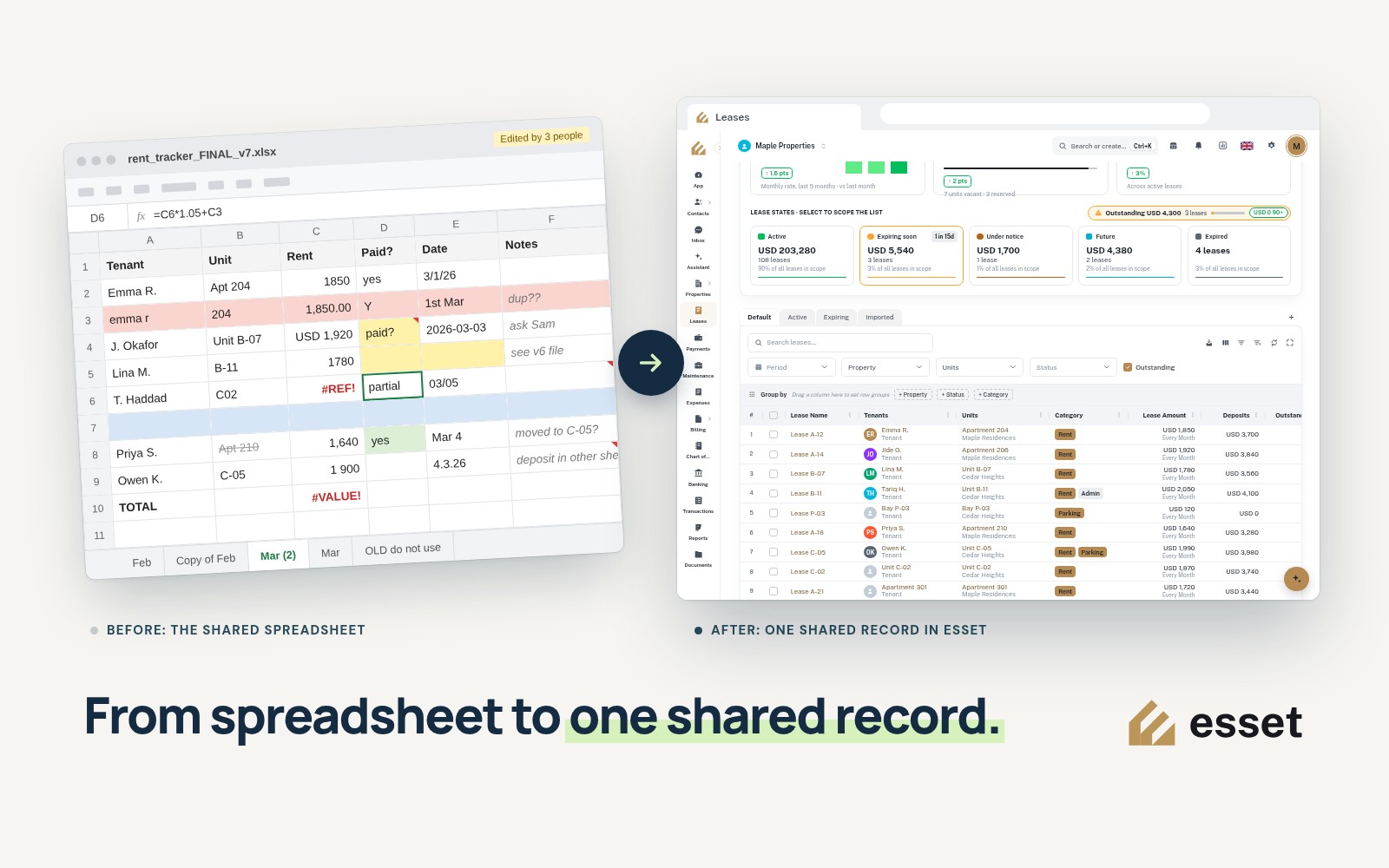
Most property teams start with a spreadsheet, and for a while it works. Then the portfolio grows, a second person starts editing the file, and the spreadsheet stops being a record and becomes a debate.
Moving to property or lease management software fixes that, but only if the migration is planned. A rushed property management software migration copies old mistakes into a new system, and the team loses trust in it within a month. This guide sets out how to migrate from spreadsheets to property management software in a calm order: what to clean, what to import first, how long to run both side by side, and the mistakes that cause most of the pain.
Signs it is time to leave the spreadsheet
You need software when the spreadsheet starts costing time or money. Common signs:
- Two people keep different versions of the “real” rent file.
- Nobody can say, without checking three places, which tenants owe money today and for how long.
- Partial payments are written as notes in a cell instead of as amounts.
- Lease end dates are found by accident, after the date has passed.
- Payment proof lives in phone galleries and chat threads, not with the tenant’s record.
If three or more sound familiar, it is time.
How to migrate from spreadsheets to property management software: the 7-step plan
Step 1: Decide what the new system must answer
Write down the questions you need answered every week: who owes what, which units are vacant, which leases end soon, what was collected and which repairs are open. These decide what data you migrate. Our guide to what landlords should track first in property management software is a good starting list.
Step 2: Choose the tool against your own data
Shortlist two or three tools and test each with a copy of your real spreadsheet, not the vendor’s demo data. Check that your unit structure fits (apartments, shops, rooms or individual beds), that partial payments and deposits are handled without workarounds, and that you can export your data later. Our guide to property management software for small teams lists what to check in a demo.
Step 3: Pick a cut-off date and migrate active records first
Choose a cut-off date, ideally the first day of a rent month. Migrate only what affects daily work: active properties, units, current tenants, current leases and each tenant’s balance on that date. Closed tenancies can stay in the archived spreadsheet, which keeps the first import small enough to check line by line.
Step 4: Clean the data before you import it
Cleaning in the spreadsheet is faster than fixing records later. Use the checklist below.
Step 5: Import in the right order, then reconcile
Import in dependency order: properties, then units, then tenants, then leases, then opening balances (see the table below). After each layer, compare counts and totals with the spreadsheet before moving on.
Step 6: Run both systems for one rent cycle, then switch on automation
Record every payment in both places for one full cycle. Only when the balances match should you turn on automated reminders, owner reports and tenant self-service. Reminders built on wrong balances annoy tenants who have already paid. Our guide to online rent collection software that reduces manual follow-up covers how to roll out reminders and payment reporting once the data is trusted.
Step 7: Retire the spreadsheet
Save a dated, read-only copy of the final spreadsheet, remove edit access and tell the team that the software is now the record.
Data-cleanup checklist before you migrate
Work through this in the spreadsheet before the first import.
Structure
- [ ] One row per tenant per lease, not one row per month
- [ ] Each property has one agreed name, written the same way everywhere
- [ ] Each unit has a unique, consistent label (for example “B-204”, not “B204”, “Flat 204” and “2nd floor right”)
- [ ] If you rent individual beds or rooms, each one is listed as its own unit (see our hostel management software checklist)
People
- [ ] Duplicate tenants merged (same person, different spelling)
- [ ] Phone numbers in one format with country code, so reminders can reach them
- [ ] Email addresses checked for typos
- [ ] Former tenants marked as former, not deleted
Leases and money
- [ ] Every active lease has a start date, end date (or “rolling”), rent amount, due day and billing frequency
- [ ] Security deposits kept in their own column, separate from rent paid
- [ ] Each tenant’s balance on the cut-off date agreed and written as a number, not a note
- [ ] Credits (overpayments) shown as negative balances, not hidden in comments
- [ ] Other recurring charges (service charge, parking, utilities share) listed separately from rent
Documents
- [ ] Signed agreements and ID documents gathered in one folder per tenant, named consistently, ready to attach
What to import first, and in what order
A lease needs a tenant and a unit; a unit needs a property. Import in this order and check each layer before the next.
| Order | Record | Minimum fields | Check before moving on |
|---|---|---|---|
| 1 | Properties | Name, address, type, owner (if you manage for others) | Property count matches the spreadsheet |
| 2 | Units | Property, unit label, type, status (occupied or vacant) | Unit count and vacancy count match |
| 3 | Tenants | Name, phone, email, ID details where needed | No duplicates; every active tenant present |
| 4 | Leases | Tenant, unit, start and end date, rent, due day, deposit | Total monthly rent matches the spreadsheet total |
| 5 | Opening balances | Balance owed (or credit) per tenant on the cut-off date | Total outstanding matches the spreadsheet to the last unit of currency |
Two rules make opening balances painless:
- Enter one balance per tenant as at the cut-off date, not years of payment history. Keep the history in the archived spreadsheet in case of a question.
- Deposits are not rent. Record deposits held as their own amount so they never offset rent arrears by accident.
The parallel-run period
A parallel run means recording the same activity in the spreadsheet and the new system for a short time, then comparing. One full rent cycle is usually enough for a small portfolio; larger teams may want two.
During the parallel run:
- Record every payment in both places on the same day.
- At the end of each week, compare three totals: rent charged, payments received and outstanding balance.
- When totals differ, find the cause and fix it in the new system. Do not “fix” the difference by editing the total.
- Keep automated reminders off until the end-of-cycle totals match.
When the totals match for a full cycle, stop updating the spreadsheet. Running both for months means the new system never becomes the record.
Common migration mistakes
- Importing everything at once. Years of history is not needed on day one. Start with active records.
- Skipping the cleanup. Duplicates and free-text notes become duplicate tenants and wrong balances.
- Mixing deposits with rent. This makes arrears look smaller than they are and causes disputes at move-out.
- Turning on reminders too early. A reminder to a tenant who has already paid damages trust in the new system on its first day.
- No owner for the migration. One person should own the checklist, the import and the reconciliation.
- Never retiring the spreadsheet. If people can still edit it, they will.
After go-live, a simple weekly view of occupancy, lease end dates and arrears keeps the new data clean; see our guide to lease and occupancy tracking dashboards.
How Esset helps with the move
Esset is property management software for apartments, hostels and mixed portfolios. For teams leaving a spreadsheet:
- Help moving your data. The Esset team sets the account up and helps move your data from a register or spreadsheet (esset.io FAQ).
- Try it with your own properties first. There is a 14-day free trial without a credit card, so you can add properties, create tenant records and explore reports before choosing a plan (esset.io FAQ; pricing).
- Your unit structure fits. Each bed can be a unit with its own tenancy and billing record, and partial payments, late fees and security deposits are supported (esset.io FAQ). Step-by-step guides cover adding properties, units and tenants.
- Reconcile against one ledger. The Transactions list shows every payment, charge, expense, deposit and transfer in one place, and the Trial Balance (on Growth and Premium plans) shows opening, debit, credit and closing balances per ledger account (Reports overview).
- Tenants see their own records. In the tenant app, tenants can view balances, receipts and invoices and report payments with proof; your team confirms each report, and confirmation is never automatic (tenant app).
- You are not locked in. You can export reports, lease ledgers and transactions as CSV, and you have 30 days after cancelling to export your data (esset.io FAQ).
In Pakistan? Esset has PKR billing and HotelEye guest-registration sync for Pakistani operators (Esset in Pakistan). For local payment habits (bank transfer, wallets, cash) and how to keep clean records of each, see our guide to rent collection and payment records in Pakistan.
FAQ
How do I migrate from spreadsheets to property management software?
Pick a cut-off date, clean the spreadsheet, then import properties, units, tenants, leases and opening balances in that order. Check counts and totals after each step, run both systems for one rent cycle, and only then switch on reminders and retire the spreadsheet.
What should I import first when migrating to lease management software?
Active records only: properties, units, current tenants, current leases and each tenant’s balance on the cut-off date. Closed tenancies and old payment history can stay in an archived copy of the spreadsheet.
How long should the parallel run last?
Usually one full rent cycle for a small portfolio, two for larger teams. End it as soon as rent charged, payments received and outstanding balances match in both places.
How do I bring opening balances across?
Agree each tenant’s balance (or credit) on the cut-off date and enter it as one amount per tenant. Keep security deposits separate, and check that the total outstanding in the new system matches the spreadsheet exactly.
Can I get my data back out if I switch again later?
Check this before you choose any tool. In Esset, you can export reports, lease ledgers and transactions as CSV, with 30 days to export after cancelling (esset.io FAQ).
This article is general operational guidance for property teams. It is not legal, tax, accounting or financial advice. Check local requirements and speak with a qualified professional before making policy or compliance decisions.


Comments (0)