
Hostel Management Software: A Practical Checklist for Operators
A practical checklist for hostel and PG operators comparing software for residents, rooms, dues and complaints.
Hostel management software should make the day lighter, not heavier. A hostel manager needs four answers by mid-morning: who is staying in which bed, who still owes money, which rooms need attention and which complaints are still open. When those answers live in a register, a spreadsheet and three WhatsApp groups, nobody has the full picture until something goes wrong.
This guide is a practical checklist for choosing and using a hostel management system, followed by a daily, weekly and monthly routine for how to manage a hostel well. It is written for long-stay hostels, PGs (paying guest accommodation), student housing and co-living, where residents stay for months and pay monthly. If you run a hostel in Pakistan, there is a separate section on guest registration and local payment habits further down.
First, which kind of hostel do you run?
“Hostel” covers two very different businesses, and the right software depends on which one you run.
- Short-stay hostels (backpacker hostels, travellers’ dorms) sell bed-nights. They need a booking engine, a channel manager that syncs with online travel agencies, check-in at the front desk and nightly rates. Their software is closer to a hotel property management system.
- Long-stay hostels, PGs and student housing sell tenancies. A resident moves in, pays monthly, pays a deposit, raises complaints, gives notice and moves out. Their software is closer to rental property management: beds as units, monthly billing, dues, deposits, receipts and maintenance.
Decide which model you run before comparing a “property management system for hostels”. The rest of this checklist is for long-stay operators.
What a hostel management system should do
At its simplest, a hostel management system keeps one record per resident and one record per bed, and connects them to money and requests. Everything else is built on that link:
- Who is where: every bed, its status and its current resident.
- What is owed: rent and other dues for each resident, what has been paid and what is late.
- What needs fixing: every complaint or repair, who owns it and its status.
- What the owner sees: occupancy, collections and open issues without phoning the manager.
If a tool cannot do these four cleanly, extra features will not save it.
The hostel management software checklist
Use these points to guide your software demos. Ask each vendor to show how the features work with your own example data.
Rooms and beds
- Each separately rented bed can be its own unit (Room 3 with beds 3A, 3B, 3C), not just “Room 3 booked”
- Bed status at a glance: occupied, vacant, reserved, notice given
- Move a resident between beds without losing their history
Residents and records
- One profile per resident: name, phone, guardian or emergency contact, ID details, bed, move-in date, status
- ID documents and the signed agreement stored with the resident, not in a phone gallery
Rent, dues and deposits
- Recurring monthly charges created automatically from the agreed rent and due date
- Other dues on the same resident record: mess or food, electricity share, laundry, service charges, one-off fines
- Deposits held as a separate record from rent income, with received, held, applied and refunded amounts
- Partial payments, credits and refunds without workarounds
- An aging view of who owes what and for how long
Payments and receipts
- A receipt for every recorded payment, which the resident can see
- A clear rule for payment proofs: a screenshot is a claim until someone checks it against the bank or wallet statement
- Reminders before and after the due date, through the channels your residents actually read
Complaints and maintenance
- Residents can raise a request from their phone, with a photo
- Each request has a category, priority, owner and status
- Owners can see open requests and how long they have been open
Guest registration and compliance
- ID capture at check-in, with the data needed for any police or local registration in your area
- A record of when each registration was submitted and its status
Team and access
- Separate logins for the manager, warden and accountant
- Roles that limit who can edit or delete payments
- Owner access to reports without full editing rights
Reports
- Occupancy and vacancy
- Collections for a date range and dues outstanding
- Deposits held
- Income and expenses, ideally per property
Data and exit
- Import from your current register or spreadsheet, with help
- Export of residents, units and transactions (CSV or similar) whenever you want
How to manage a hostel: a daily, weekly and monthly routine
A hostel day moves quickly: a bed becomes vacant, a student gives notice, a payment is pending, a complaint is open and a room needs cleaning before the next move-in. When those updates live only in staff memory or a chat group, the owner hears about the problem late. This routine keeps them visible.
Every day
- Check bed status: who arrives, who leaves, which beds are vacant or on notice.
- Record every payment received the same day, against the right resident and charge.
- Check payment proofs that came in overnight and confirm or reject each one.
- Review open complaints; follow up according to the issue’s priority and agreed response time.
- Complete any guest or resident registration that is due.
Every week
- Review dues: list residents who are late, contact them politely and note the promised date.
- Walk the building: rooms, washrooms, kitchen or mess, water, electricity backup.
- Look at complaint categories: is the same issue coming back?
- Decide what to do about each vacant bed: list it, ask for referrals, or change the room mix.
Every month
- Generate monthly charges and check them before they go out, including variable items such as an electricity share.
- Reconcile payments recorded against bank and wallet statements.
- Check deposits held for residents leaving this month and process refunds or deductions with a written breakdown.
- Send the owner a one-page summary: occupancy, collected, outstanding, deposits held, expenses, open issues.
- Confirm every new resident has a signed agreement and ID copy on file.
Hostel management tips that save the most follow-up
- Link every rupee, dollar or pound to a resident. Rent, deposits, mess charges, utility contributions and service charges should sit on the resident record. That keeps follow-up clear and makes month-end summaries easy to prepare.
- Treat a payment screenshot as a claim, not a payment. Mark it paid only after it matches your statement. This helps reduce disputes about whether a payment was received.
- Categorise complaints and give each one an owner. Cleaning, internet, electricity, plumbing, security and noise. Categories turn a long, unstructured list into patterns you can fix at the root, and an owner stops “someone will look at it”.
- Keep deposits out of income. A deposit is money you may have to give back. Mixing it with rent makes your income look better than it is.
- Agree one reminder schedule. For example: a friendly notice before the due date, a reminder on the day, a firmer one after a few days, then a call. Residents respond better to a predictable rhythm than to random chasing.
Before you scale: what to track first
The best time to put structure in place is before the team is overwhelmed. With one small building, a spreadsheet and a chat group can feel manageable. As occupancy grows, the same setup hides missed dues, unclear bed status and complaints nobody closed.
Start with the records everything else depends on: beds or units, residents, monthly dues, payments and requests. Get those clean before adding automation, because reminders and reports are only as good as the data under them. Complaint tracking matters here too: it shows owners recurring problems, response delays and staff workload before a second building multiplies them.
If you are still on spreadsheets, our guide to moving from spreadsheets to property management software covers the switch, and what landlord software should track first goes deeper on the core records.
Running a hostel or PG in Pakistan
Hostels and PGs in Lahore, Karachi, Islamabad, Rawalpindi, Faisalabad and Multan face the same daily pressures, plus a few local rules worth building into your system.
Guest registration with the police protects you
In Punjab, the owner or manager of a hostel covered by the Act must give the police information about each guest within 24 hours of arrival or check-in, must see the guest’s CNIC or passport before letting them stay, and must give a copy to the police (Punjab Information of Temporary Residents Act 2015, sections 3 and 5). Knowingly breaking these rules can lead to imprisonment of up to six months and a fine of Rs 10,000 to Rs 100,000 (section 11 of the same Act). The Act’s hotel definition excludes hostels managed exclusively by an educational institution for its enrolled students or staff; separate provisions address outside guests. Check which rules apply to your premises. In practice, covered hostels in Punjab submit these records through HotelEye, the system built by PITB and linked to NADRA (PITB: Hotel Eye).
In Islamabad, the Minister of State for Interior told the National Assembly in January 2026 that records of hostels, hotels and guest houses are kept by Islamabad Police through the Hotel Eye software (APP). Sindh has its own law (Sindh Information of Temporary Residents Act 2015), and Khyber Pakhtunkhwa uses its own police forms (KP Police); check the current process with your local police station.
Registration is not paperwork for its own sake. A complete, on-time record shows you checked who you let in, and it is your evidence if a question ever comes up about a resident.
Payments and records
For bank transfers and mobile wallets, check payment proof against the statement before confirming payment. For cash, issue a receipt, record it immediately in the cash ledger and reconcile cash held and bank deposits. Every confirmed payment should have a receipt. Our guide to moving from payment screenshots to clear rent records covers this step by step.
Clean records also protect you at tax time. Charges for food, utilities and laundry should appear as separate lines, because amenities and services can fall under a different head of income; our rental income tax guide explains this and the records to keep. For written terms with each resident, see our rent agreement format for Pakistan.
What Esset adds for hostels in Pakistan
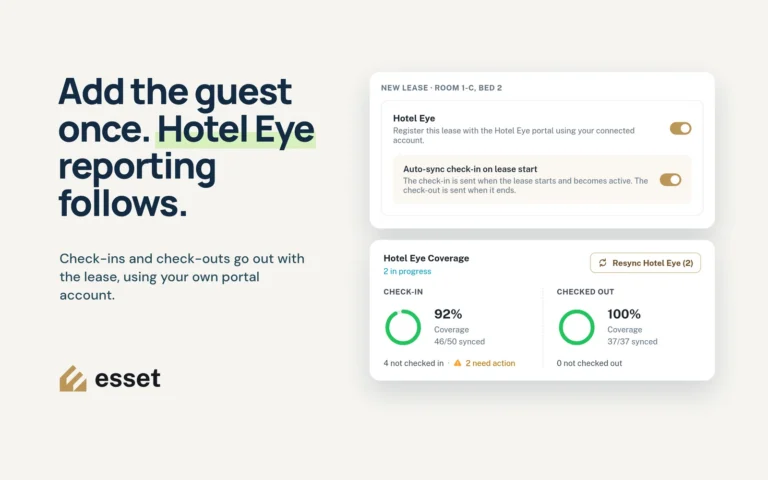
- HotelEye sync. With your existing HotelEye operator account connected during onboarding, guest records, check-outs, extensions and corrections are sent from Esset and their status is visible for review (Esset HotelEye integration). Esset is an integration product, not the government login service (same page).
- CNIC scan on all plans in Pakistan, prefilling fields for you to review before saving (Esset HotelEye integration).
- PKR billing and financial records (Esset in Pakistan), with plans priced by the number of units you manage (PKR pricing).
See hostel management software for Pakistan for the full hostel workflow, and property management software for Pakistan if you also run flats or shops.
How Esset fits a long-stay hostel
Esset’s tagline is “Less chasing. More growing.” The idea is one shared record for owners and tenants (esset.io). For a hostel, that looks like this:
- Each bed is a unit. A three-bed room can be units 1A, 1B and 1C, each with its own lease and billing record (Esset for hostels).
- Deposits are their own record: required, received, held, applied or refunded, kept apart from rent income (same page), with a Security Deposit Liability report.
- Tenant mobile app. Residents can view balances, receipts, invoices and lease details, report payments with proof and raise maintenance requests with photos or files (Esset tenant app).
- Payment proofs reviewed by your team. A resident reports a payment with proof; your team confirms or rejects it, and the balance changes only after confirmation. Confirmation is never automatic (payment reports).
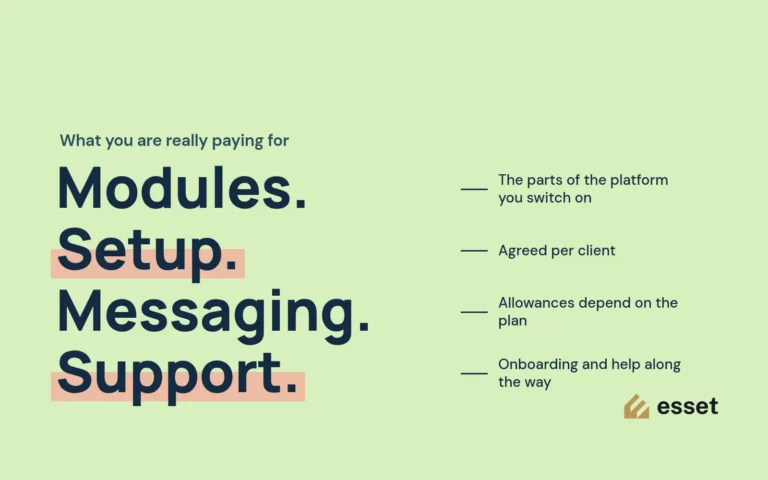
- Automated rent reminders by email, SMS and WhatsApp. Notification delivery reports are included in Growth and Premium (Notification Report). Message allowances depend on your plan (pricing).
- AR Aging, rent roll and collections reports on every plan, including Starter (pricing); the A/R Aging report splits each balance into current, 1 to 30, 31 to 60, 61 to 90 and 90+ days (reports overview). Starter includes the complete rental module.
- Maintenance tracking with assignment, visits, status and conversation, included in Growth and Premium (Esset for hostels).
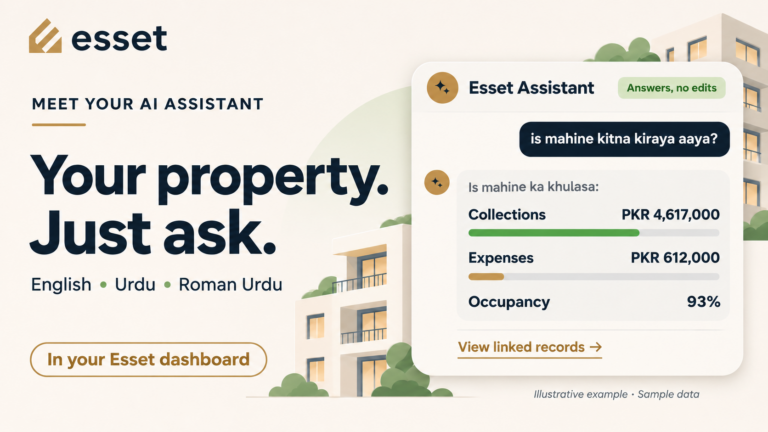
- Ask on WhatsApp. Owners and team members can ask about balances, occupancy and expenses in English, Urdu or Roman Urdu, each from their own linked WhatsApp. The assistant is read-only, follows each member’s access permissions and is available on request (same page).
- Bring your register. The team helps move your data from a register or spreadsheet (same page). Unit lists export to CSV or JSON (how to add and manage units).
Every plan includes a 14-day free trial with no credit card (pricing). In a demo of any product, ask to see a three-bed room with one bed vacant, one on notice and one occupied, and a resident who sent a screenshot for half the rent. For costs and plan limits, see our property management software pricing guide. For a wider view of the market, see our comparison of the best property management software in Pakistan.
FAQ
What is the best hostel management software?
The best hostel management software is the one built for your kind of hostel. Short-stay backpacker hostels need bookings and channel sync; long-stay hostels, PGs and student housing need beds as units, monthly billing, deposits, payment records and maintenance. Score each option against the checklist above using your own data during a free trial.
How do you manage a hostel efficiently?
Keep one record per resident and per bed, link every charge and payment to the resident, check payments and complaints daily, review dues and vacancies weekly, and send the owner a short summary every month. The routine above sets this out step by step.
Do hostels in Punjab have to register guests with the police?
For hostels covered by the Act, yes. Institution-managed hostels exclusively for enrolled students or staff are excluded from its hotel definition; outside guests have separate provisions. The owner or manager of a covered hostel must give the police information about each guest within 24 hours of arrival or check-in (Punjab Information of Temporary Residents Act 2015, section 3). Check the current process with your local police.
Does Esset sync guest records with HotelEye?
Yes. With your existing HotelEye operator account connected during onboarding, guest records, check-outs, extensions and corrections can be sent from Esset and their status is visible for review. Esset is an integration product, not the government login service (Esset HotelEye integration). Confirm current coverage with the team.
Can I run a hostel on a spreadsheet?
For a handful of beds, yes. Once you have several staff, many residents paying around the same date, or an owner who wants reports, a spreadsheet starts to hide late dues and open complaints. That is usually the point to switch.
This article is general operational guidance for hostel operators and property teams. It is not legal, tax, accounting or financial advice. Rules change; check current requirements with the relevant authority and speak with a qualified professional before making compliance decisions.
Comments (0)